How to triage a DRCY finding
Thirty seconds per finding can help you avoid re-reviewing everything by hand.
We've written about what an AI design review catches and what it can't, and about what DRCY does and doesn't do. This post covers a narrower, more practical question.
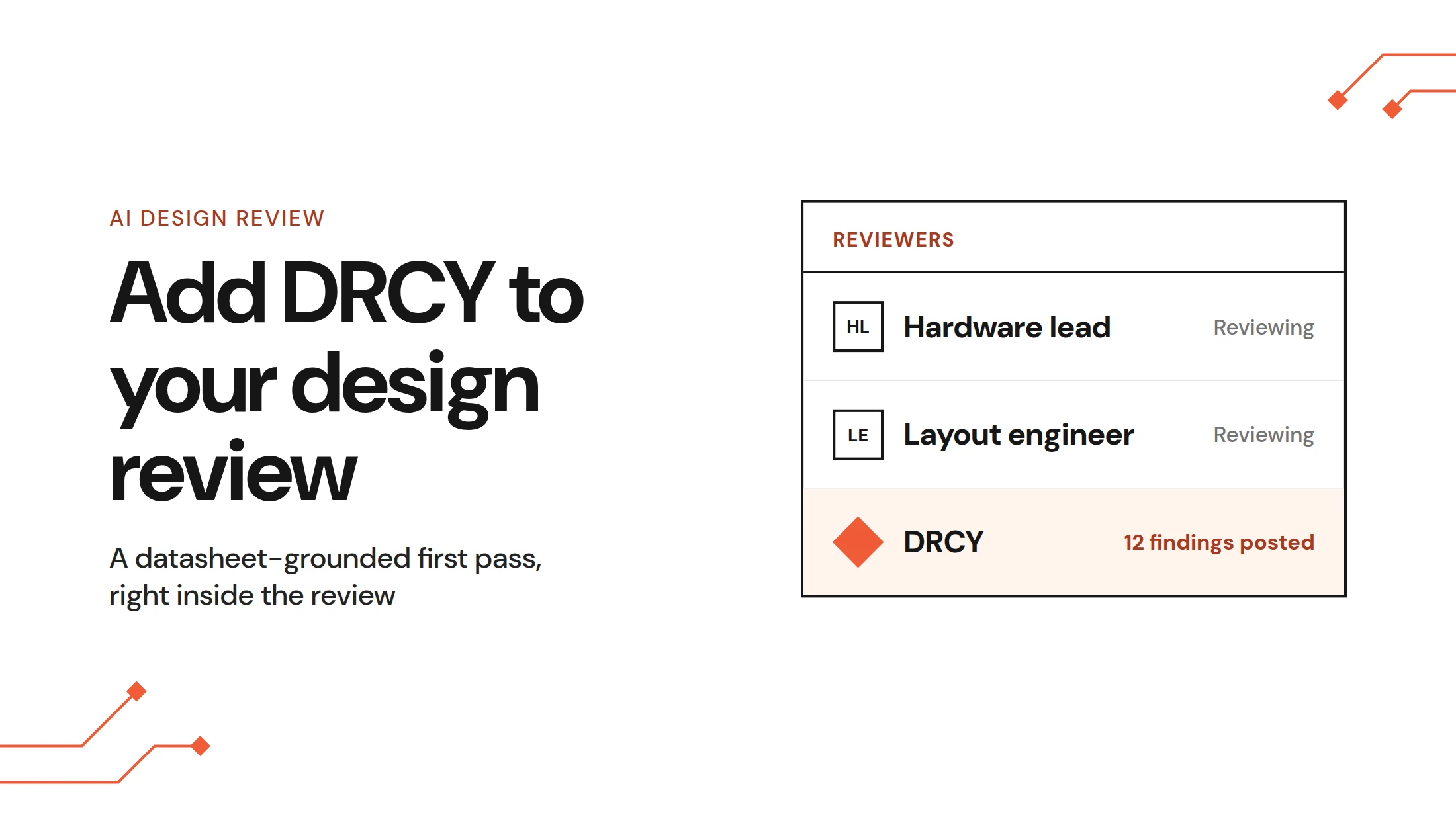
Imagine you've got twelve findings on a design review and you need to understand them more in-depth. Triage is the process of quickly sorting quick fixes from more complex design problems and prioritizing which issues to tackle first. Understanding this process is where DRCY really begins to save time and add value. Here’s how to do it.
Key takeaways
- Triage DRCY findings by checking the schematic location, claim, reasoning, and cited datasheet before deciding whether to act.
- Read the audit summary before reviewing findings; unresolved active-component datasheets can make a review incomplete. Reply in the chat when the observation is valid but the conclusion is wrong; mark a finding with a thumbs down when it’s incorrect for the design.
- Group large sets of findings by datasheet, circuit block, and consequence to find shared causes and prioritize engineering work.
Why triage can help you gain trust in the tool
The value of an AI first-pass reviewer like DRCY grows exponentially when findings can be quickly sorted, categorized, and addressed. Without some kind of system in place for this, you could be left tediously going through findings one-by-one, even if they largely say the same thing or share the same root cause.
We’ve found that once teams are up and running with a system like triage, they typically spend thirty seconds or less addressing each finding. And this has shown compounding benefits that help those teams scale and streamline their design workflows.
The good news is that triage is a learnable skill with an immediate payoff.
Start with the audit, not the comments
Pro tip: before you read a single finding from DRCY, read the top-level comment.
When a run completes, DRCY posts a summary of what it did: the components it examined, and the ones it couldn't resolve or find a datasheet for. It's like a quick audit of the review before any detailed findings.
Skipping it can add more review time and extra work that could have been avoided early.
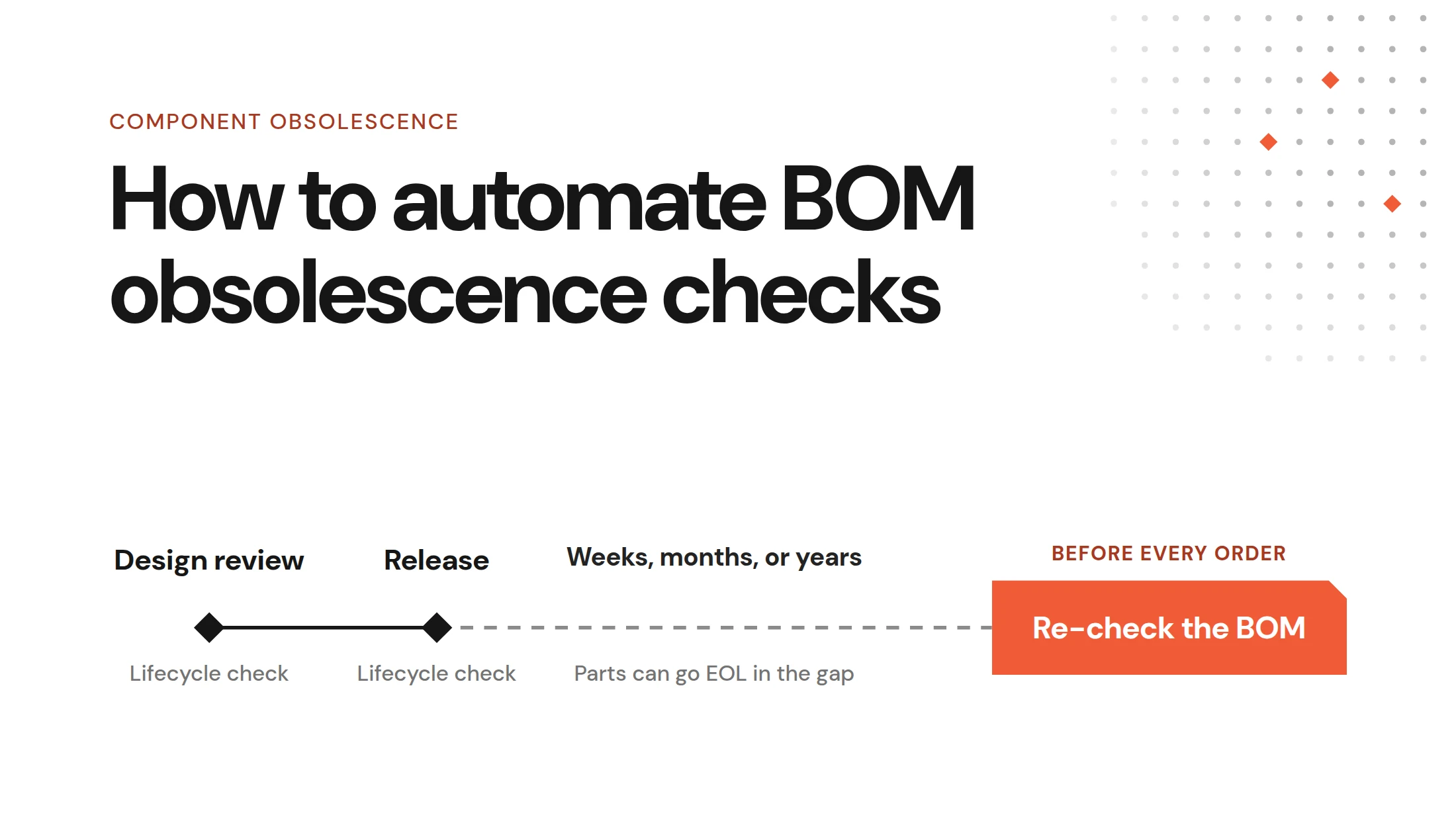
The audit tells you whether the review had all the inputs needed to run successfully. A run where every active component is fully resolved will be much more successful than one where complex components like a microcontroller came back with unresolved datasheets. The latter scenario doesn’t necessarily mean there’s something wrong with your design, it just means component data was incomplete. Understanding the difference changes how you interpret DRCY’s findings.
It also confirms scope. You chose specific pages and a variant to review when you started. If you scoped to pages one through four, the absence of findings on page nine doesn’t automatically indicate a clean bill of health.
If active components are missing datasheets, fix that first. Triaging findings produced without reference material is wasted effort. We've covered how to fix datasheet resolution separately.
The four parts of a finding
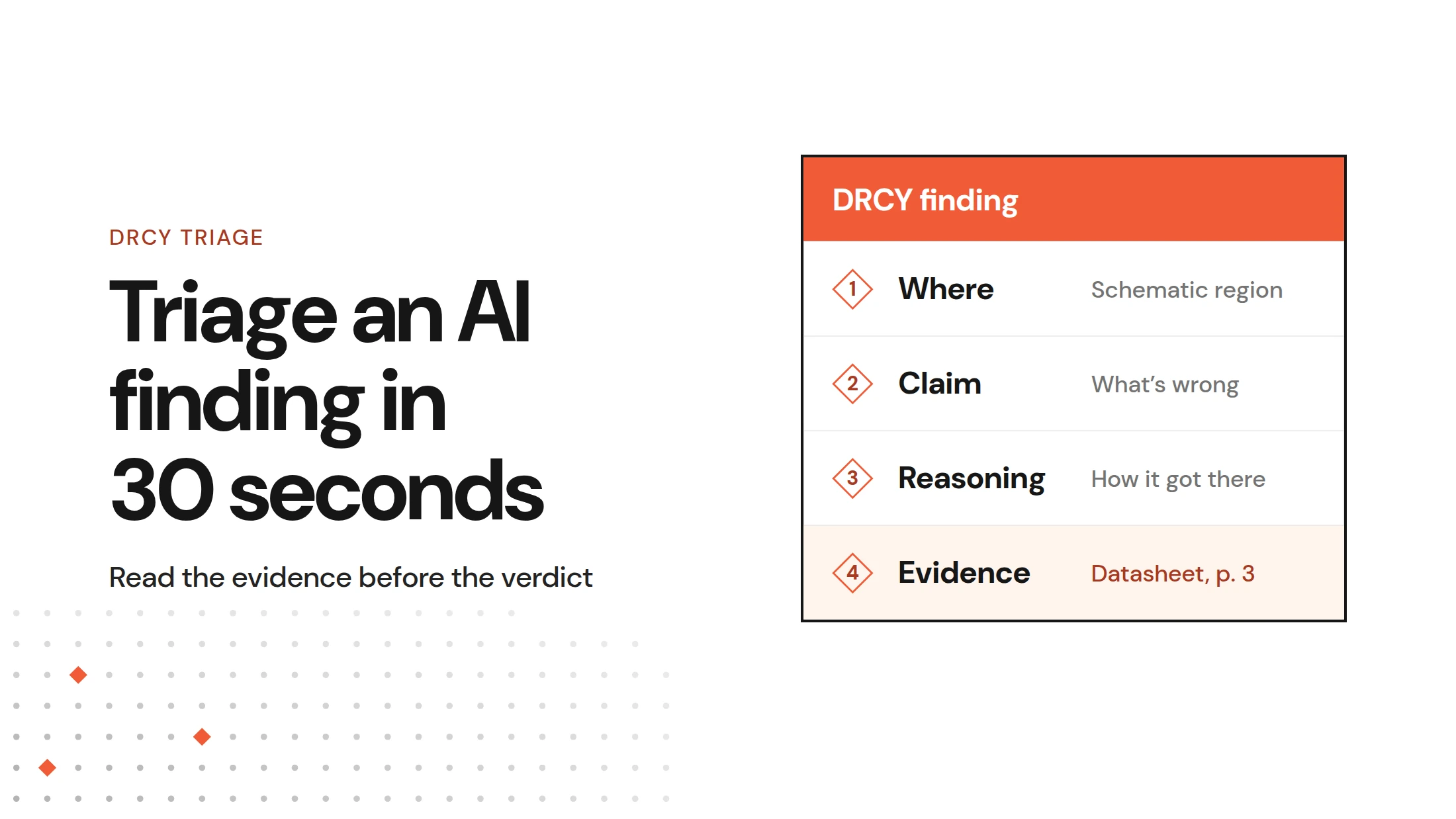
Every DRCY comment has four parts. Here’s what the breakdown looks like.
1. The location
Each comment is anchored to a specific region on a schematic page so you can quickly verify what the comment is referring to.
What to do with it: verify it. Does the highlighted region match the circuit the claim describes? A mismatch here is your earliest signal that something went wrong.
2. The claim
One or two sentences describing what DRCY thinks is wrong.
What to do with it: read it, but hold off before jumping to fix anything. A claim can be stated confidently with incorrect underlying reasoning.
3. The reasoning
What DRCY understood about the circuit and how it came to that conclusion based on the claim.
What to do with it: this is where you find out whether to trust the finding. You're not checking whether the conclusion is right. You're checking whether the reasoning itself makes sense. Did it understand what this circuit is for? Did it identify the right parts in the right context? If the reasoning describes a circuit you don't recognize, it’s likely time to take action. Sometimes just adding a datasheet or providing feedback to DRCY can be a quick way to fix issues like this.
4. The evidence
The datasheet it referenced.
What to do with it: click it. This is the fastest check you have, and it resolves most disputes.
If the cited datasheet is for the wrong part, easy fix and you're done in ten seconds. Just upload the right datasheet and run again. If the citation is correct and the page says what the reasoning claims it says, take the finding seriously even if the conclusion surprises you.
Read the evidence before assessing the verdict.
Taking action on DRCY findings
You have five ways to respond to a DRCY finding, and three of them change what happens next time. Picking the right one matters more than people expect.
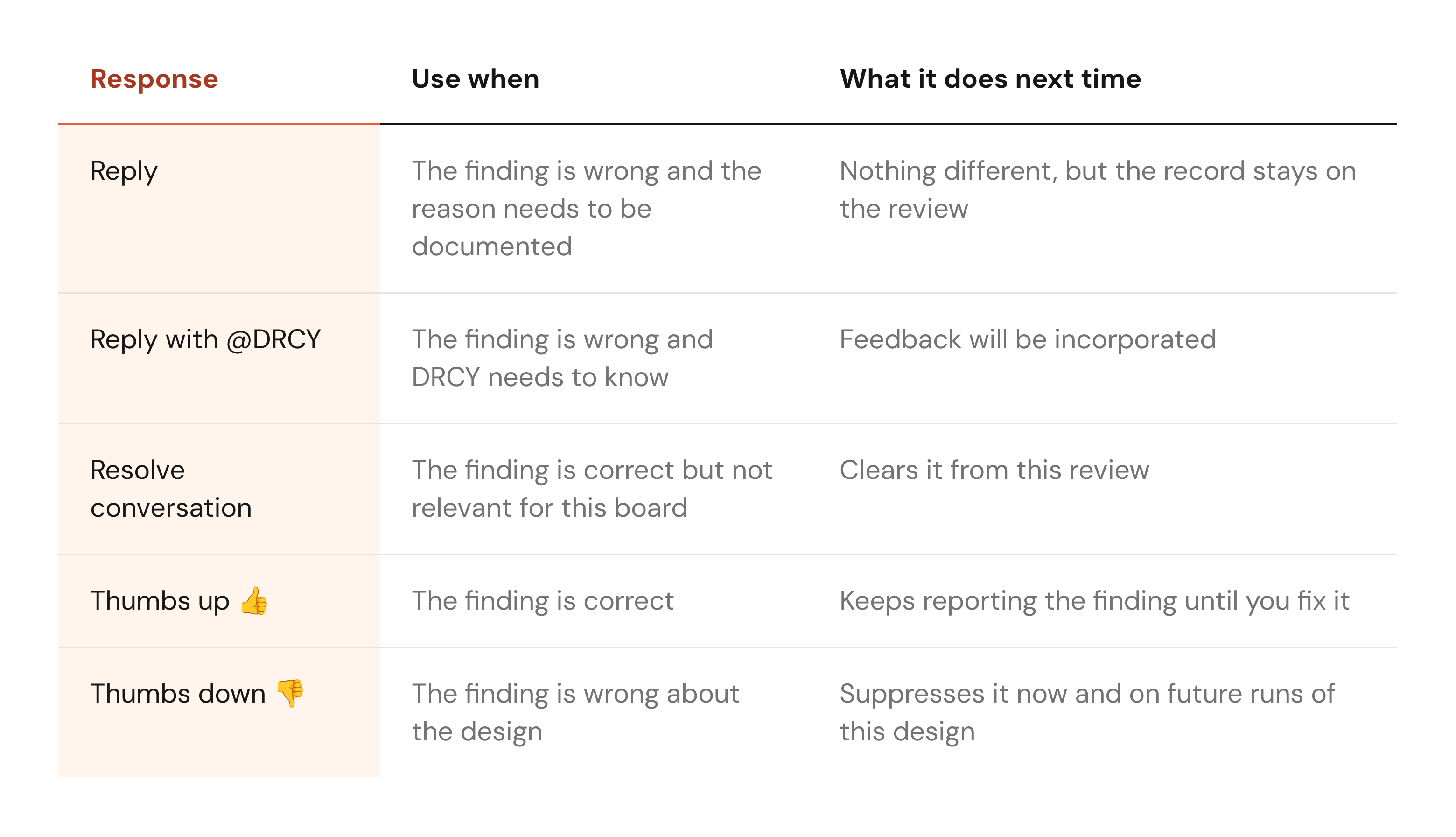
The thumbs down response can be particularly useful. The comment collapses out of your way immediately, and the next time you run a review on this design it doesn't come back. You're teaching it what counts as noise on this board, and that compounds across runs, so use it deliberately rather than as a reflex for anything you disagree with.
If you thumbs down every finding you don't immediately agree with, you'll end up suppressing those findings on subsequent runs in that design review.
Triage example #1: accept the observation, reject the conclusion
DRCY flags a converter's power-good signal pulled-up to 3.3V, and calls it a cross-rail dependency.
- Where: the highlighted region is the pull-up and the converter pin. Matches the claim.
- Claim: cross-rail dependency, stated as a problem.
- Reasoning: it identified the pull-up rail and the converter's rail as different domains and concluded the signal may not behave as drawn.
- Evidence: the converter's datasheet and page describing that pin is the correct document.
The conclusion is too strong. Power-good is open drain, and pulling it to another rail is a common way to match the logic level of whatever reads it.
But the observation deserves a second look. If 3.3V comes up before the converter is powered, the power-good pin can float high and report “good” when it isn’t. Whether that matters depends on the power-up sequence.
Response to DRCY: reply with @ DRCY. By providing additional feedback rather than giving a thumbs down, it signals to DRCY that the flag is worth raising, just not for the reason stated.
Thumbs down would tell DRCY to stop flagging this issue entirely, which is not the best approach in this situation.
Triage example #2: reject the conclusion
DRCY reports a voltage divider on a signal, but you’ve designed the circuit with one resistor to ground.
- Where: a single resistor is highlighted, but DRCY an indicates a voltage divider.
- Claim: the divider sets a level that conflicts with the expected logic threshold.
- Reasoning: would be correct if there was actually a voltage divider, but you know this isn’t the case.
- Evidence: the correct datasheet for the part.
Everything checks out except the premise. The supposed voltage divider that’s causing the problem is due to a do-not-place resistor that’s been mistakenly included in DRCY’s analysis.
Response to DRCY: thumbs down, then fix the input. The finding is wrong about the design, so suppressing it is the right choice. But the useful move is upstream: select your variant before the next run, and confirm your do-not-place status lives in the component attributes rather than in a color convention or note on the schematic. A color is visible to a person looking at the screen but isn’t helpful for the software parsing the file.
In both examples the reasoning was fine and the input was wrong. That's the most common shape of a wrong finding, and it's why triage starts at the audit.
When a finding seems odd but the evidence checks out
Occasionally everything looks right but the finding still doesn't make sense. This is often due to topologies are spread across multiple schematic pages.
DRCY works through a design page by page, breaking down subcircuits as it goes. The netlist information is available to it, but when a net continues onto another sheet there's likely to be more ambiguity than if the entire circuit were on a single page. A pull-up resistor whose net leaves the page might occasionally lead to issues.
So if a finding involves a net that continues onto another sheet, that's a good place to start your investigation. Adding a schematic note indicating that something important happens a different page can provide additional context that strengthen’s DRCY’s findings, just like notes help guide a human reviewer.
Triaging fifty findings without losing an afternoon
On a large first run you won't just get twelve findings. You might get fifty or more, and reading them in order top to bottom is an inefficient way to approach the task.
We recommend sorting them and running through three passes:
- Pass one, by evidence. Scan the citations only, not the claims. Findings that cite the correct datasheet go in the “keep” pile. Findings that cite something that looks wrong go in a second pile to fix later. Those almost always share a root cause (like a part number attribute problem) that affects several components at once.
- Pass two, by circuit. Group what's left by the blocks they touch. Power, clocking, interfaces, etc. Think in circuits, not comment order. Five findings on the same regulator end up as a single investigation.
- Pass three, by consequence. Now go back to read the claims, and ask what’s the impact if each claim is true. A finding that results in the board failing to power up outranks one that means a part runs warmer than intended. You're not triaging for completeness at this point, you're triaging by priority.
The first pass usually clears a third of the list in a few minutes, and indicates upstream fixes that can save you from dealing with all forty comments one at a time.
What a good reply looks like
Replying to a DRCY finding is often overlooked, but is one of the most valuable actions you can take.
A weak reply says "this is wrong".
A useful reply says what's wrong and why, written in a way that helps the next reader. For example, a good reply to triage example #1 above might be:
Open drain output, so the pull-up rail is intentional. The cross-rail dependency is real but handled, see the sequencing note on sheet 3.
Limit your feedback to two to three sentences. It closes the finding, records the engineering judgment, and provides additional the context for the next DRCY run. Six months later, when somebody asks why this is like that, the answer is attached to the design instead of lost in someone's memory or in an ephemeral document or chat message.
The three habits
- Open the audit before the findings. It gives you an overview of the findings that follow.
- Read the evidence before the verdict. Click the cited datasheet first. Most disputes end there.
- Reply when the observation is real and the conclusion isn't. Save the thumbs down for findings that are wrong about the design.
Each finding should only take about thirty seconds to clear. By using the same engineering judgement you already use every day, it’s easy to decide which findings are real issues with the design and which can be cleared with basic housekeeping.
Want to practice on your own board? Add DRCY to a design review and start with the audit comment.
FAQs
How long should triaging a finding take?
Thirty seconds at most. Check the where, the claim, the reasoning, and the evidence, then decide. The ones that take longer are usually genuine engineering questions worth the time.
What if I disagree with a finding but can't say why yet?
Leave it. Resolve conversation and thumbs down are both decisions, and neither is urgent. Come back to it, or raise it with whoever owns that circuit.
If I mark something with a thumbs down, can I get it back?
The comment is suppressed rather than deleted, and you can unresolve it if you marked it down by mistake.
Does marking findings with thumbs down apply across my whole organization?
Suppression is scoped to the design, so it affects future runs on that design rather than everyone else's boards.
Should I reply to DRCY, or just fix the design?
Fix the design. Reply when the finding was wrong and the reason is something a future reviewer would need, or when the finding was right and you're recording why you're not acting on it.
Does my feedback get read by someone?
It's used in aggregate to improve the product rather than reviewed finding by finding. If something looks structurally broken, particularly a connection that appears invented, contact Allspice directly rather than relying on a thumbs down to carry the message.