When to use AI in your hardware engineering process
High-performing engineering teams have learned that throwing AI at every problem isn't the recipe for success. Not every engineering task benefits from artificial intelligence. This blog covers how to get the most value out of AI, when to stick with deterministic systems, and how to weave AI into your hardware engineering workflows.
AI vs. deterministic automation in hardware engineering: when to use which
In my last blog, we covered how to capture the right data — or start on a path to that goal — so your AI systems can deliver real value. But having the data accessible isn't enough; you also need to decide where AI belongs in your workflow. What we've seen first-hand from our clients is that the real power comes from combining deterministic systems with AI: letting rigid, rules-based systems handle the known, and letting AI catch the nuanced issues those rules can't anticipate. Here's how to know when to use deterministic systems, when to leverage AI, and when to keep a human in the loop.
When to use deterministic systems
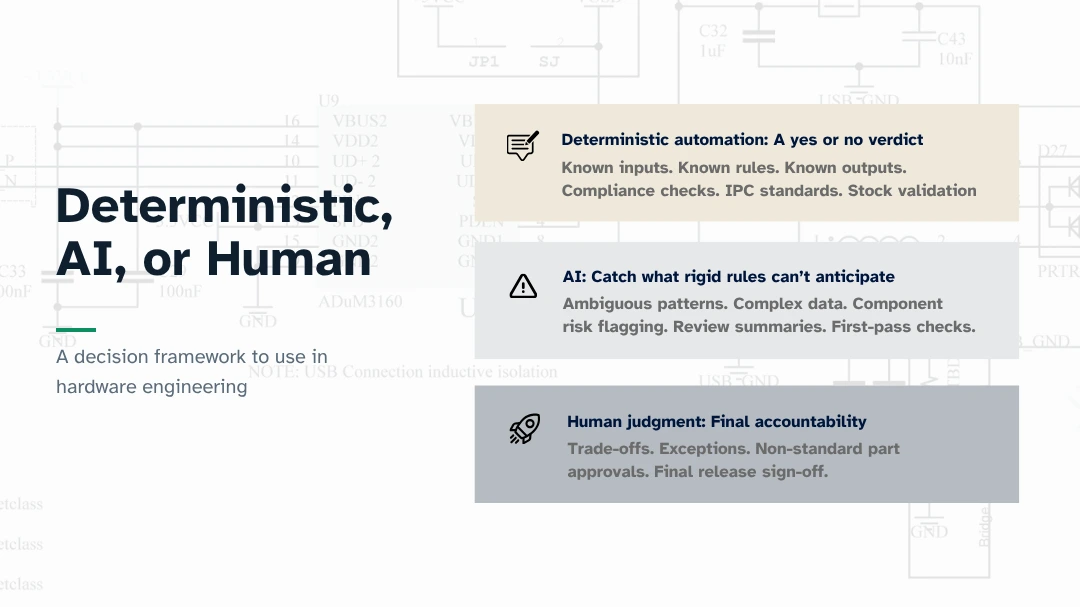
Deterministic automation works best for known problems (inputs, logic) with known solutions (expected outputs). These systems excel at enforcing rules consistently, gatekeeping quality and compliance, and automating "must-not-fail" steps. Example use cases where deterministic systems work best include:
- Repeatable, definitive "yes, no, or a defined output" questions, like flagging end-of-life components in a BOM, verifying that pad sizes match IPC standards, and confirming stock availability.
- In the design process, using established algorithms for precise tasks like optimizing electrical signal pathways and tracing memory failures to exact clock cycles.
When to use AI systems
AI is the most powerful when it comes to vast amounts of complex, ambiguous data — recognizing patterns and surfacing insights from complex data. AI shines when it can uncover potentially unknown problems or deliver insights from crunching through massive amounts of data at a speed humans can't match. Examples where AI systems can deliver value include:
- Summarizing likely review risks before a meeting.
- Surfacing component substitution options with documented rationale.
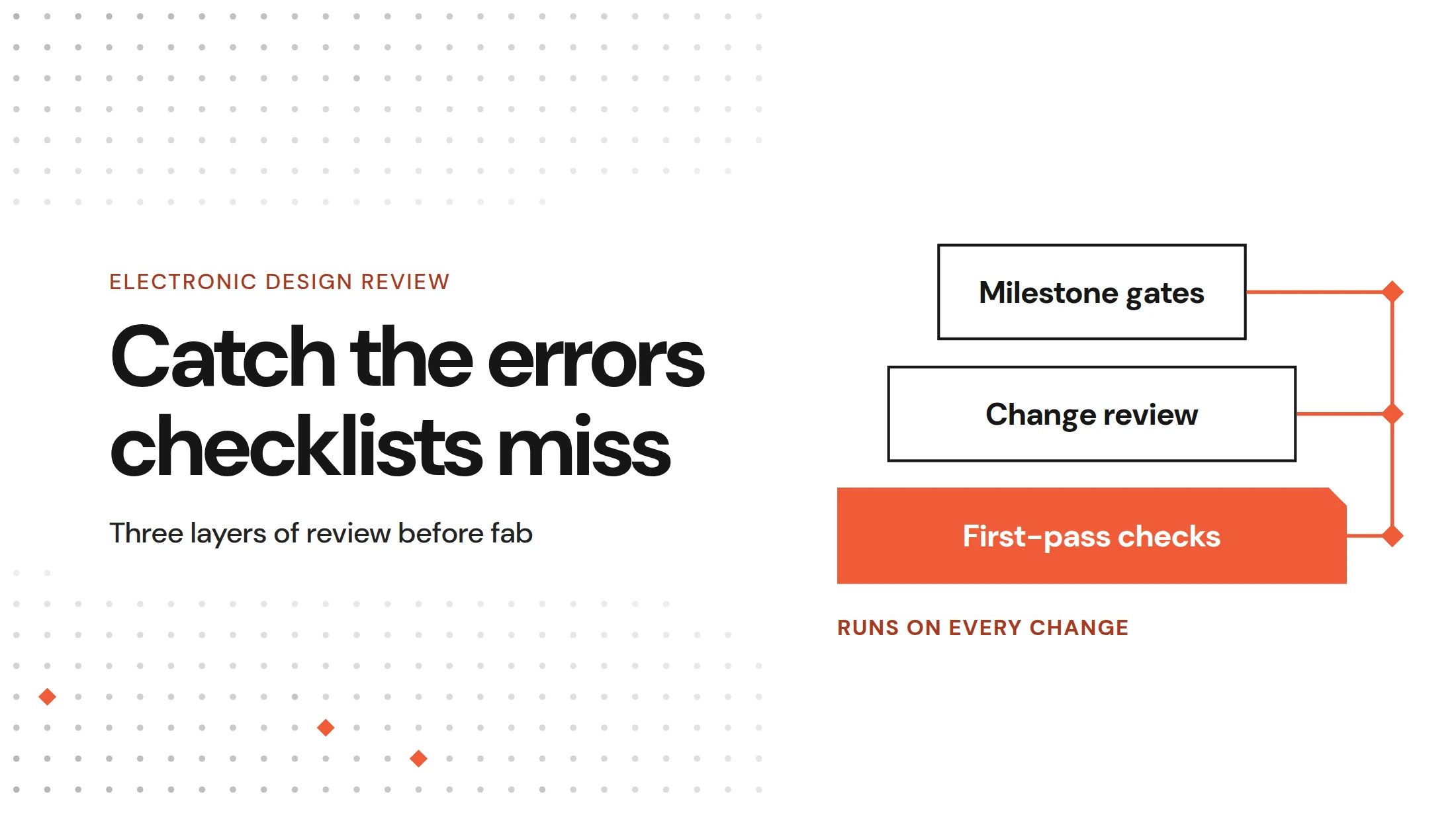
- Running a first-pass AI review layer to catch implementation issues before they turn into downstream program cost — see how teams are evaluating this in How Hardware Engineering Teams Evaluate DRCs.
- Solving problems that need large data sets, like mining data for insights and running simulations.
This comparison outlines the strengths of each system, helping you match the right system to the task at hand.
Why human judgment will remain valuable and essential
A common question I get asked is "Will AI replace engineers?" Human judgment is required anytime there are trade-offs to weigh or exceptions to make. For instance, if you need to approve a non-standard component for production due to a supply chain shortage, or sign off on a final design review, a human must own that decision. AI can't decide whether to accept an exception before release.
But human engineers collaborating with AI while maintaining oversight is very effective. AI is excellent at retrieval, synthesis, and explanation — it just doesn't currently have the deep context to make the call itself. Consider the example of having AI check whether a specific regulator setup matches both the datasheet and the broader design context. This first-level analysis is a great use of AI, but the output still needs an engineer to interpret ambiguity and apply years of experience.
Human judgment and experience remain a critical part of the hardware design and production process — and that's not changing anytime soon.
AI gives engineers more time to be engineers
AI helps engineers do more of what they are best at — bringing innovative physical designs to life. Today's hardware design teams are being asked to do 10x more, but with the same teams and tools. Given that they already spend large portions of their day on junior or administrative tasks (with some estimates at 50%), this leaves little time to be creative and innovative. Here are just a few examples of how AI is changing that equation.
- More design time. With AI, senior engineers will be able to do more with the same team. This will help minimize manual work (like version tracking in spreadsheets and design review prep), freeing up time to focus on architecture and design.
- Faster speed to market. Weeks matter when launching products. AI can typically deliver 80% of a first-pass design review in a fraction of the time normally required. AI-assisted workflows can help compress the critical path.
- Cost savings. AI can help identify issues early in the design process and retain that data to prevent the same mistakes from repeating. Board re-spins, extra iterations, and schedule delays each carry direct, measurable cost. Every re-spin avoided saves $50K–$500K+ depending on layer count and volume.
- More room for innovation. Freed from repetitive review and admin work, engineers can spend more time on the exploratory, creative work that actually differentiates products — new architectures, novel designs, and the kind of experimentation that doesn't fit neatly into a checklist.
The best teams will pick the right tools for the job, understand the strengths of each approach, and organize their workflow to match.
How to integrate AI into existing hardware engineering workflows
While it's clear that AI can help engineers scale and accelerate their design visions, the challenge is implementation. How do you weave AI into your existing processes? What we've seen is that if an AI tool requires engineers to context-switch away from their day-to-day tools, review flows, or version control, it adds friction and will ultimately get skipped. Put simply, an AI tool that lives outside your workflow won't get used.
While AI adoption often gets framed as a change management problem, that isn't really what we see. It's actually a workflow problem. The teams getting real value from AI make it invisible by having it show up exactly where work already happens.
To make this possible, high-performing teams build a stack that connects three key layers:
Human Interaction Layer: where engineers make final decisions. Because engineers already spend their time in design review UIs, approval workflows, and comment threads, AI must surface its findings directly within these environments rather than forcing a context switch. By meeting the engineer where they already work — like inline suggestions or desktop tool integrations — the AI becomes an invisible helper rather than a disruptive point tool.
AI Agent Layer: the engine for synthesizing complex design data. These agents leverage structured inputs like schematics, BOMs, datasheets, and review history to perform tasks like cross-file pattern analysis, component risk flagging, and automated review summaries. By processing this information at scale, these agents draft the findings that ultimately inform human judgment.
API and Automation Layer: the connective tissue that ties the entire stack together. This layer manages the deterministic pipelines and integrations necessary for CI/CD gates, ERP/PLM synchronization, and external tool connectivity. Without this robust infrastructure to facilitate communication between systems, the other two layers would operate in silos; together, they create a cohesive, genuinely useful workflow.
Connecting all three layers gives AI the reach to be genuinely useful, rather than acting as a disjointed point tool you switch to and quickly forget.
The four steps to successfully adding AI to your workflows
So, how do you move from that architectural foundation to real-world execution? Here are four practical steps to weave AI into your existing workflows.
- Start with the engineering decision: Define the specific decision AI is meant to support — review risk assessment, BOM validation, or datasheet check. Be precise.
- Connect the right context: Identify what data AI needs to support that decision — design files, datasheets, review history, requirements.
- Embed inside existing tools: AI that requires a context switch away from day-to-day tools, review flows, or version control adds friction and gets skipped.
- Keep validation in the workflow: Engineers must inspect, validate, dismiss, and act on AI outputs without leaving the environment they already use.
This is just a quick snapshot of how to add AI to your workflows. Stay tuned for my final blog in this series, which outlines a 90-day plan for rolling out AI in engineering teams.
Further reading
- Why AI Needs Design Intent: Moving Beyond PDFs in Hardware Engineering: Blog 1 of 3 in this series
- Agentic Hardware Design Reviews CAIS '26: Proceedings of the ACM Conference on AI and Agentic Systems, for a deeper academic dive into how deterministic automation and AI models process engineering input.
FAQs
How are the LLMs trained?
This is a great question that we get from hardware leaders to ensure the confidentiality of their proprietary design data. Here at Allspice, we do not train models. We focus on what the LLM (Large Language Model) space calls a harness. This harness enforces structural boundaries and provides the right instruction and data for the LLM. It also provides the foundational models for our AI agent to make the correct design decisions. We focus on providing the right types of data with the best processes for our AI agents to provide value while also ensuring that your internal data is kept confidential.
What hardware engineering design tools do you integrate with?
We've built Allspice to be tool-agnostic. Rather than replacing the tools you already rely on, we act as the orchestration layer that connects your hardware stack. That keeps your ECAD, PLM, and ERP systems in sync. Because design data flows automatically between these platforms and your AI tools, engineering, manufacturing, and operations can always work from the same clear picture.